Pull Request Dashboard
2025-10-06
The Problem
While working at DataThink, we had discussion in one of our engineering meetings about how we could improve our pull request workflow and assigning them to other developers for review. We have a two reviewer policy for all pull requests, but we found that sometimes it was hard to find the right person to review a PR.
This conversation sparked because we had a few instances where PRs were sitting for days without being reviewed, and they started piling up. We have a focus on shipping code quickly, and we wanted to find a way to make sure that PRs were being reviewed in a timely manner.
In essence, the team didn't know what others workloads were like, and we wanted to find a way to make it easier to see who had the capacity to review PRs.
The Solution
Fast-forward to the next day I was watching Parks and Recreation. It was on as a background show while I had my computer out and I thought I would try to build a quick prototype of a pull request dashboard. I am familiar with the GitHub API, so I thought it would be a fun little project to work on.
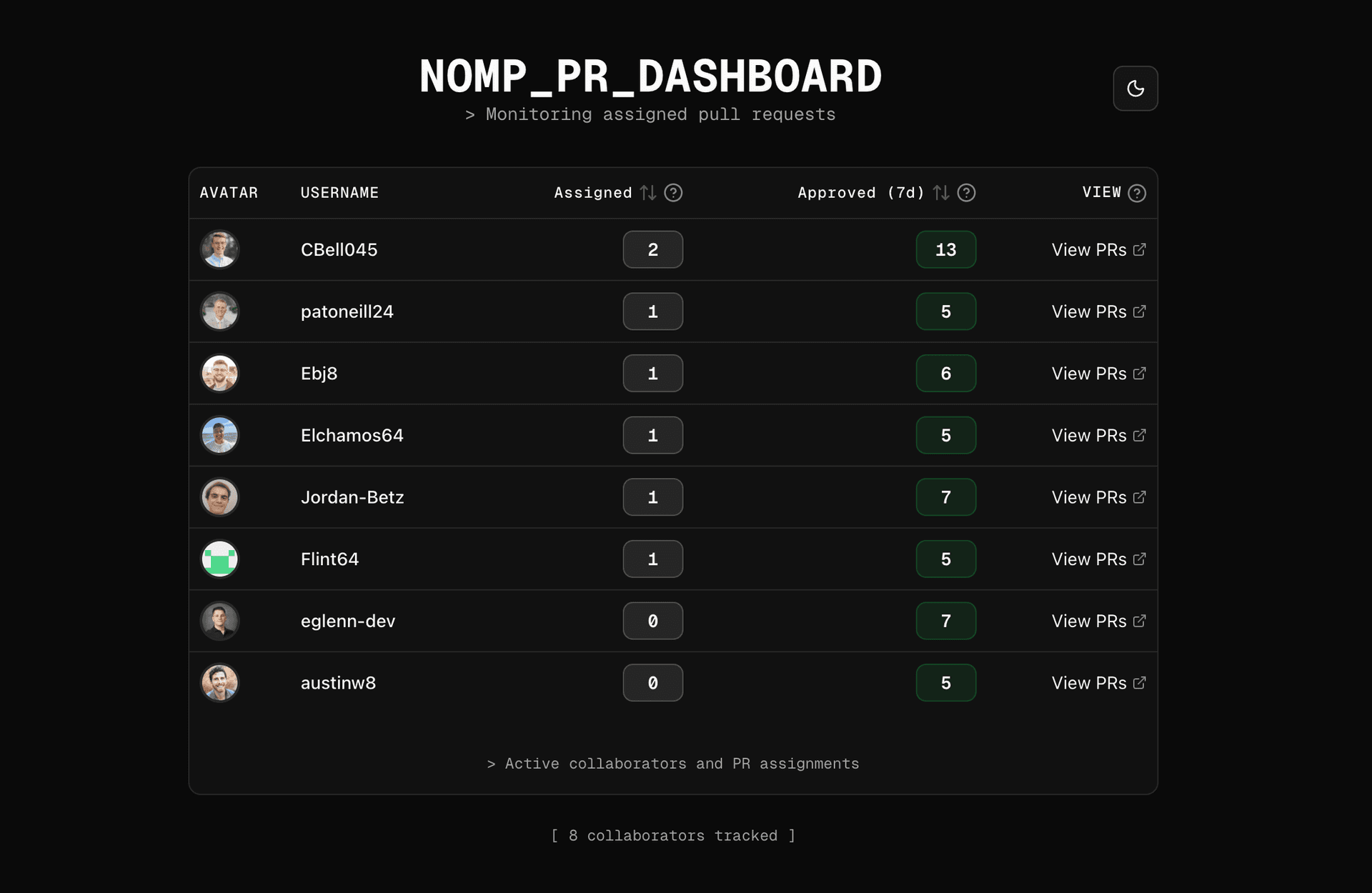
I started by creating a new Next.js project and installing the necessary dependencies. I used the GitHub GraphQL API to fetch all the open pull requests that were assigned to a specific user. I then created a simple dashboard that displayed the pull requests in a table format.
It turned out to be a fun little project, and I was able to get a basic version of the dashboard up and running in about an hour. I shared it with the team, and they were excited about the idea. We decided to use it as a starting point for our pull request workflow.
Feedback
I deployed the dashboard to Vercel and shared the link with the team. Right away I got some feedback from my colleagues. They liked the idea of having a centralized place to see all the open pull requests, but they also had some suggestions for improvements.
- Ability to sort by assigned / approved columns
- Exclude by default users who haven't reviewed any PRs in the last 30 days
- Add this to our PR template so I get to look at it every day!!!
I took their feedback into consideration and made some changes to the dashboard. I added the ability to sort by assigned and approved columns, and I also added a filter to exclude users who haven't reviewed any PRs in the last 30 days. Finally, I added a link to the dashboard in our PR template so that everyone would see it when they created a new pull request.
Oh, and I also added a skeleton loading state because I am a sucker for good UX.
Conclusion
Overall, the pull request dashboard has been a great addition to our workflow. It has helped us to improve our code review process and ensure that PRs are being reviewed in a timely manner. I am glad that I was able to build something that has had a positive impact on our team.
This message was thrown in the chat not long after by one of the owners of DataThink:
This is the exact stuff I love to hear, "I was bored" and decided to write some code to solve a problem for everyone. Thanks Ethan.
Check it out yourself: pr-dash.eglenn.dev
I open-sourced the project on GitHub as well: github.com/eglenn-dev/pr-dashboard